
 ChatGPT
 Gemini
 Claude
 Perplexity
Most trip plans start as a messy note: a temple you saw on Instagram, a night market a friend swore by, a day trip you are “probably” doing. Turning that into a realistic schedule, one that doesn’t send you across the city three times a day, usually takes an evening of tabs and maps.
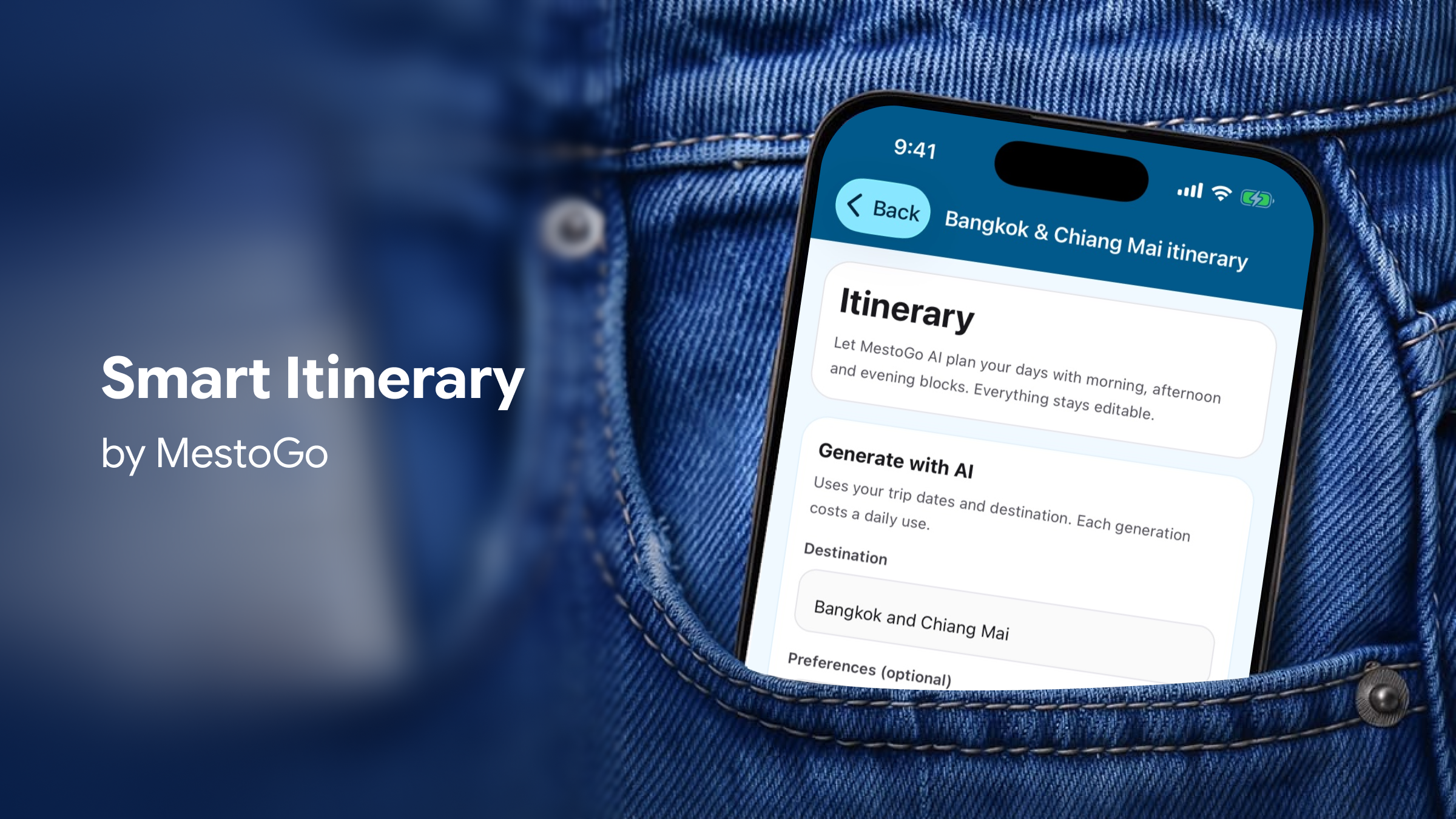
MestoGo’s Smart itinerary planner does that first draft for you. Give it your trip dates, where you are going and how you like to travel, and it builds a day-by-day plan split into morning, afternoon and evening. Then you keep what you like and change the rest.
We tested it on a real 5-day Bangkok and Chiang Mai trip. All screenshots below come from that run.
What the Smart itinerary planner gives you
The planner lives inside Trips in MestoGo. For any trip with a start and end date, it creates:
- One plan per day of your trip
- Morning, afternoon and evening blocks for each day
- For every block: where to go or what to do, a one-line “why this stop” note, and a rough cost band (free, $, $$ or $$$)
At the top of the itinerary you get two progress pills: how many days the plan covers and how many blocks you have marked done.
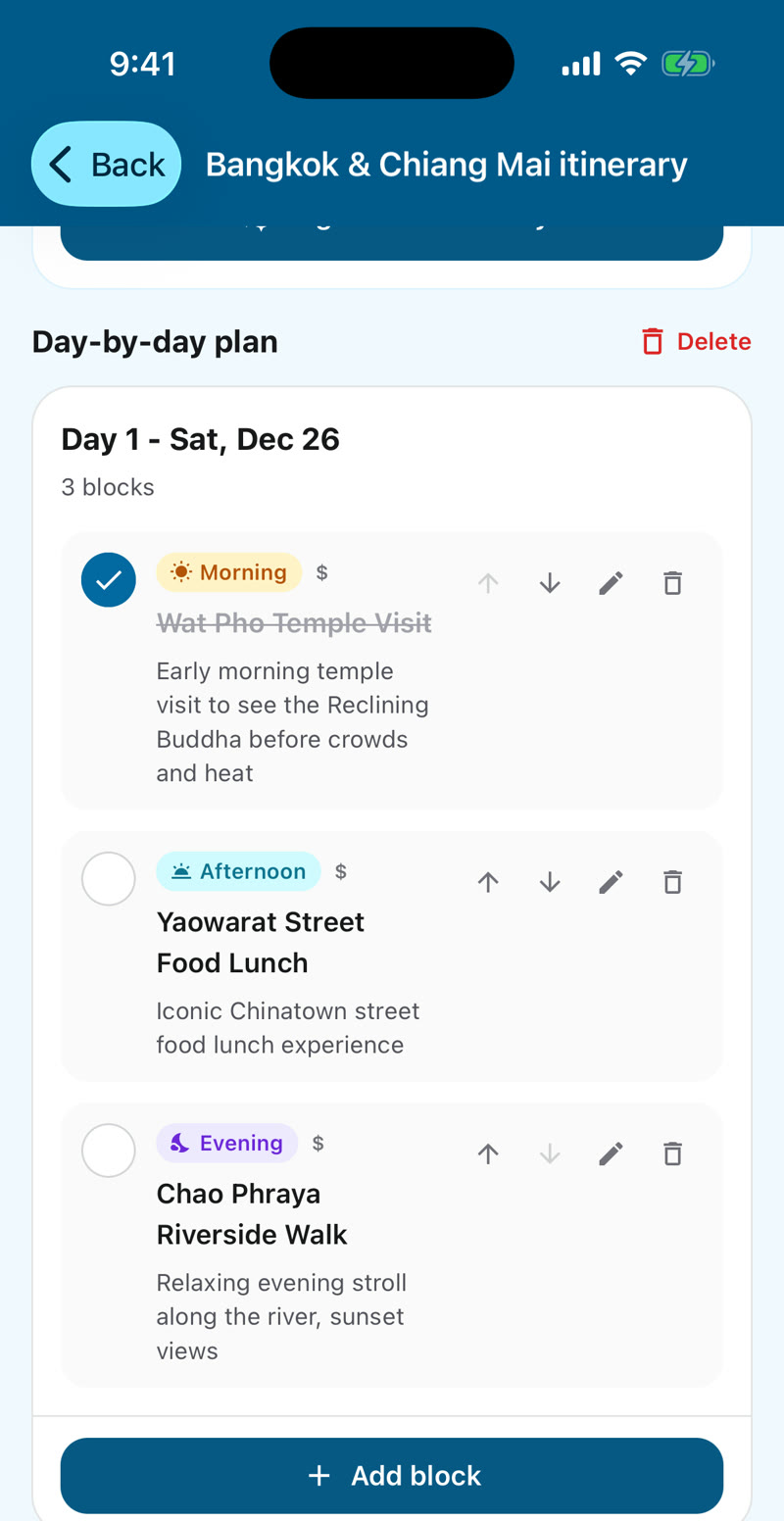
Look at the Day 1 plan above. The temple is in the morning, “before crowds and heat”, because we asked for exactly that. Lunch is street food in Yaowarat (Chinatown), and the evening is a slow walk by the Chao Phraya River. The planner turned our preferences into a sensible order, not just a list of famous places.
Tell it how you like to travel
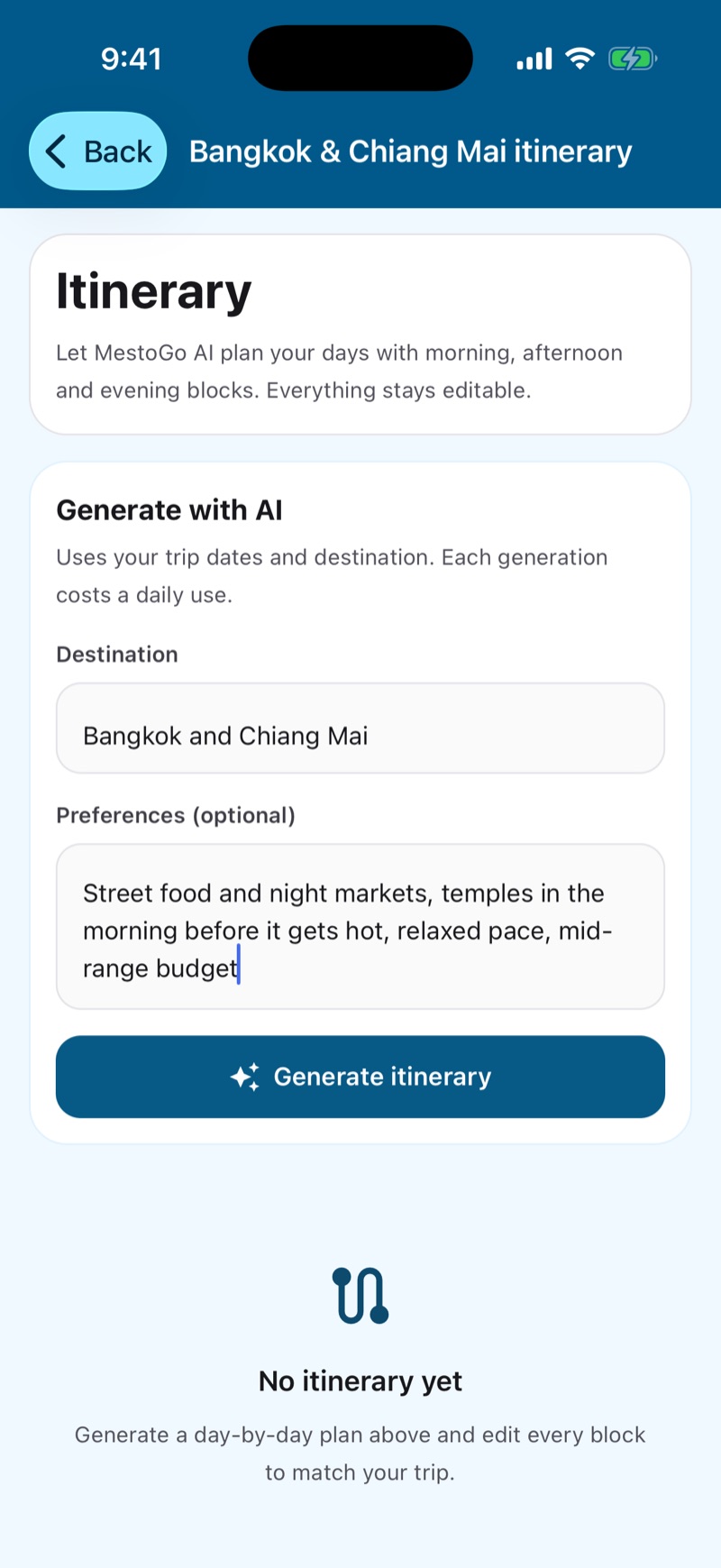
Before generating, you can check the destination and add preferences in plain words. The destination starts as your trip’s country, but you can type specific cities. If you are moving around, name them all, such as “Bangkok and Chiang Mai” or “Kuala Lumpur and Penang”.
Preferences are optional, but they make the biggest difference. Some examples that work well:
- “Street food and night markets, temples in the morning, relaxed pace”
- “Travelling with kids, slow mornings, pool time in the afternoon”
- “Photography, happy to wake up early for sunrise”
- “Tight budget, public transport only”
- “Beaches and island hopping, one big night out”
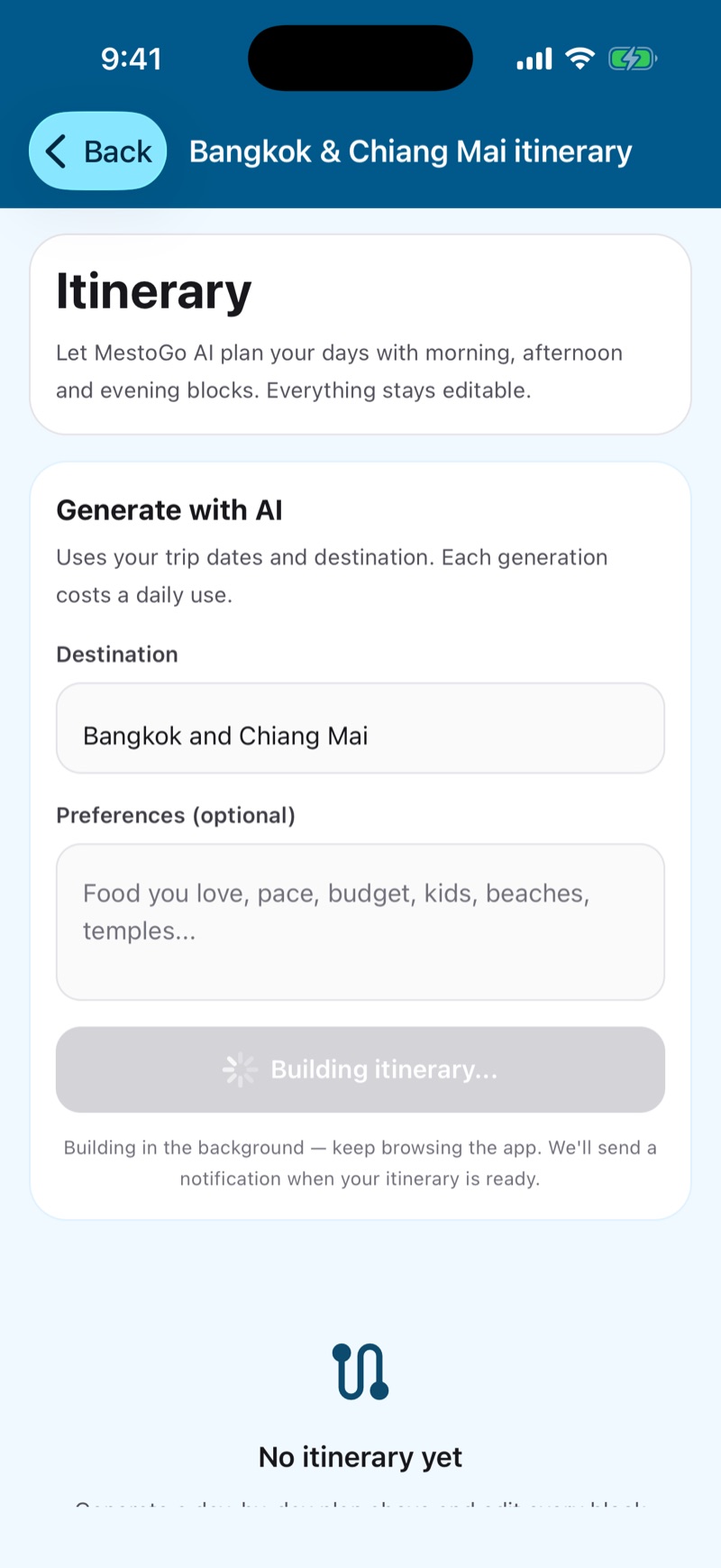
Keep using the app while it builds
A multi-day plan takes a little while to put together, so you don’t have to sit and watch a spinner. Tap Generate itinerary and the planner works in the background. Go check your eSIM, your packing checklist or the weather. MestoGo sends you a notification when your itinerary is ready, and tapping it opens the plan.
It is also built to survive real life. If the app gets closed while your plan is building, MestoGo picks the job up again the next time you open it. If a build fails, for example on a patchy connection, the screen tells you and you can simply generate again.
Make it yours: every block is editable
An AI plan is a starting point, not a contract. Each block has its own controls:
- Edit a block to change the time of day, the place, the note or the cost band
- Move it up or down when you would rather do the market before lunch
- Delete what doesn’t fit
- Add block to any day for the rooftop bar a friend recommended
- Tick it off as you go. Done blocks are crossed out and the “done” counter goes up.
In our test, we swapped the Day 1 evening walk for a riverside night market. It took about fifteen seconds:
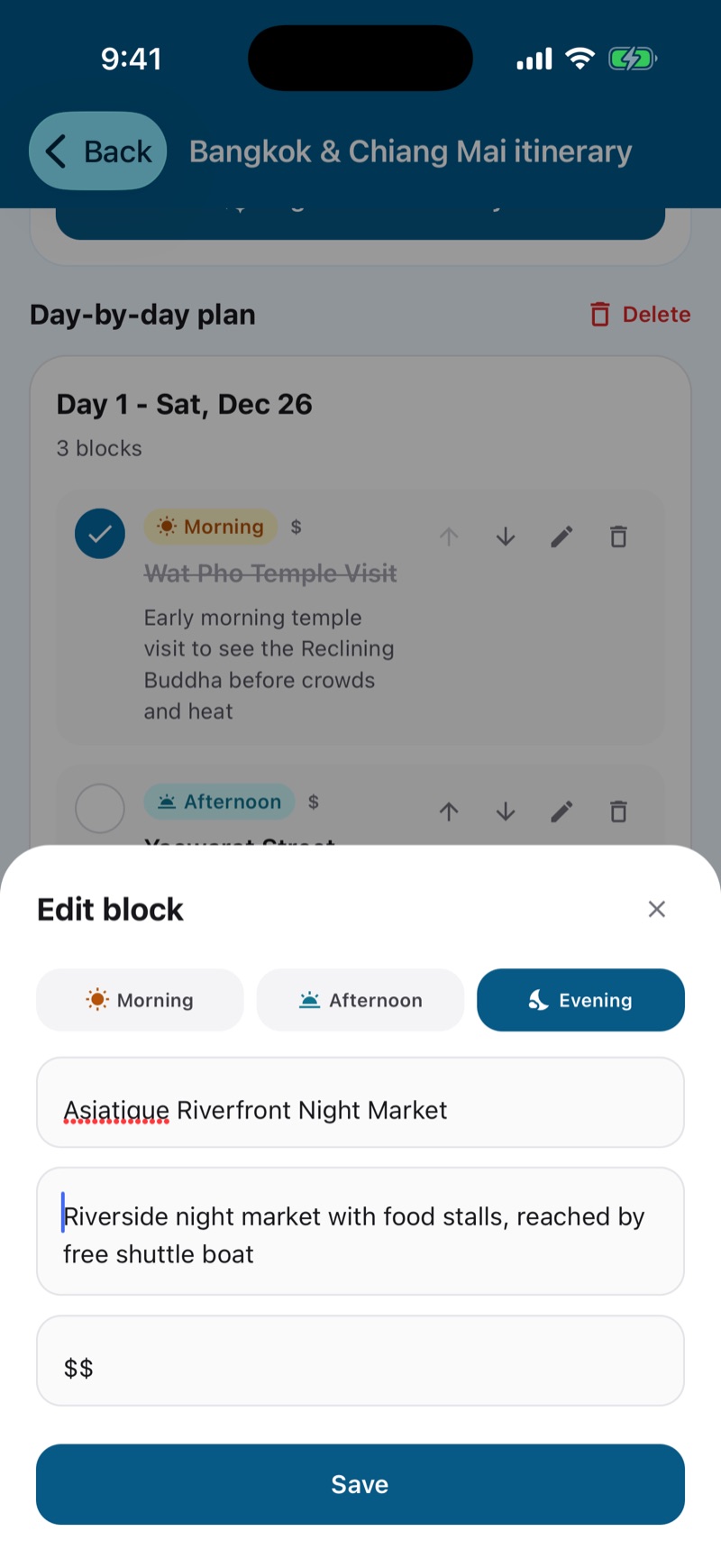
Not happy with the overall direction? Change your preferences and tap Regenerate itinerary for a fresh plan. Regenerating replaces the current plan, including your edits, so the app asks you to confirm first.
How to create your first Smart itinerary
- Open MestoGo and choose Thailand, Malaysia or Nepal.
- Go to Trips and create a trip with a title, destination, start date and end date.
- On the trip dashboard, tap the Itinerary card.
- Check the destination (add specific cities) and type your preferences.
- Tap Generate itinerary, then keep using the app while it builds.
- Open the notification, or come back to the trip, and fine-tune your plan.
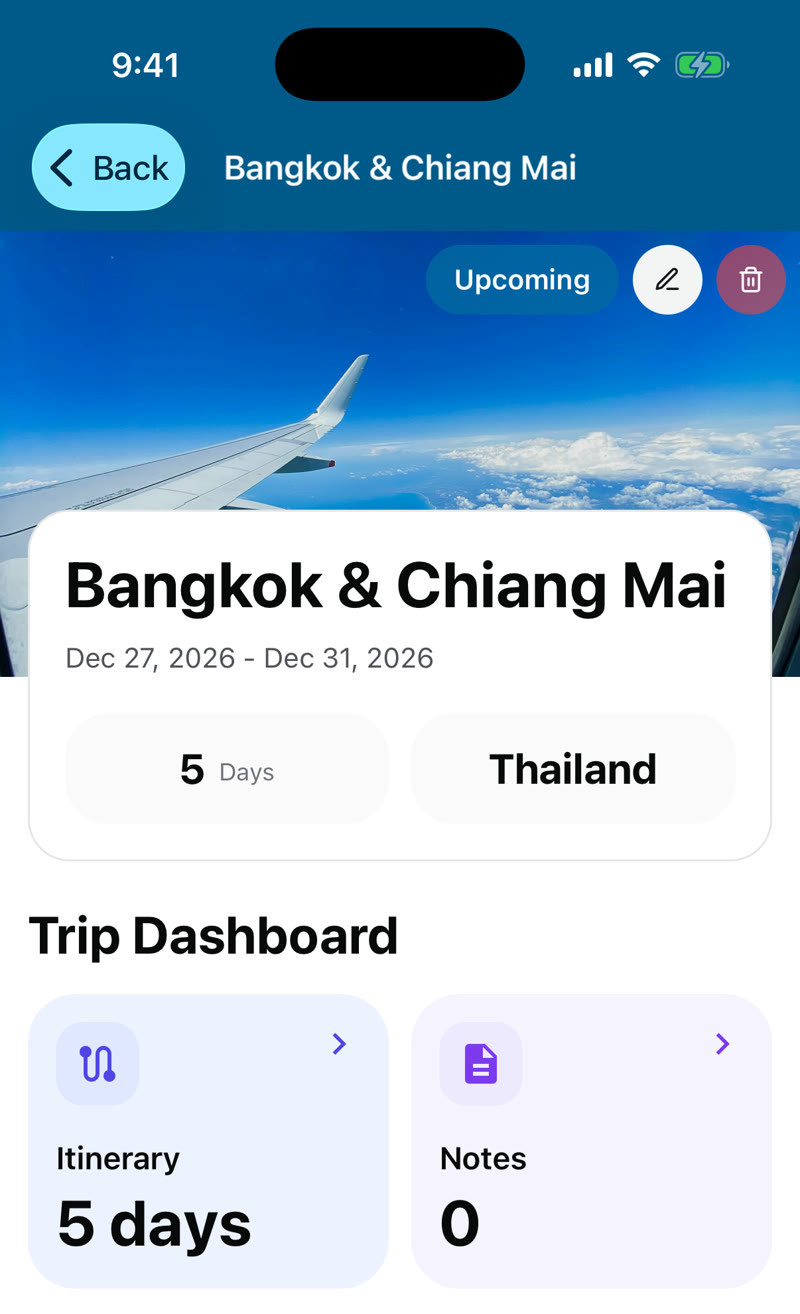
Once a plan exists, the Itinerary card on the trip dashboard shows how many days it covers, so you can see at a glance which trips are planned.
Tips for a better plan
- Add your dates first. The planner needs a start and end date to know how many days to fill. Without them, the generate button asks you to add them.
- Be specific about constraints. Kids, mobility, diet, budget and pace change the plan far more than “I like food”.
- Name every city you are staying in, in the order you will visit.
- Check opening days and hours for must-see stops. Some places, like weekend markets, only open on certain days, and the AI can’t always match those to your exact dates.
- Pair it with MestoMate. Ask MestoGo’s AI travel assistant follow-up questions such as “How do I get from Wat Pho to Yaowarat?” or “Is Asiatique worth it on a Sunday?”
Good to know
- One itinerary per trip. Each trip has a single active plan that you keep editing.
- There is a daily limit. Each generation, including a regenerate, uses one of your daily generations. The app warns you when you are close, and the limit resets the next day.
- Deleting a trip removes its itinerary too, so nothing is left behind. You can also delete just the itinerary and keep the trip.
- It’s an AI draft. It can suggest a place that is closed that day or put two stops further apart than you would like. A two-minute review before you go saves surprises.
Frequently asked questions
Is the Smart itinerary planner free? It’s part of the MestoGo app, with a daily generation limit that resets every day.
Can I edit the AI-generated plan? Yes. Every block can be edited, moved, deleted or marked as done, and you can add your own blocks to any day.
What happens if I regenerate? You get a fresh plan based on your current destination and preferences. It replaces the existing plan and your edits, so the app asks you to confirm first.
Do I have to stay on the screen while it generates? No. It builds in the background, and you get a notification when it’s ready. If the app is closed mid-build, it resumes the next time you open MestoGo.
Can I plan a trip across several cities? Yes. Type all the cities in the destination field, for example “Bangkok and Chiang Mai”, and the plan will spread across them.
Plan less, travel more
Let MestoGo handle the first draft of your trip, then shape it to fit you.
- iPhone (App Store): Download MestoGo for iOS
- Android (Google Play): Download MestoGo for Android
Related Articles
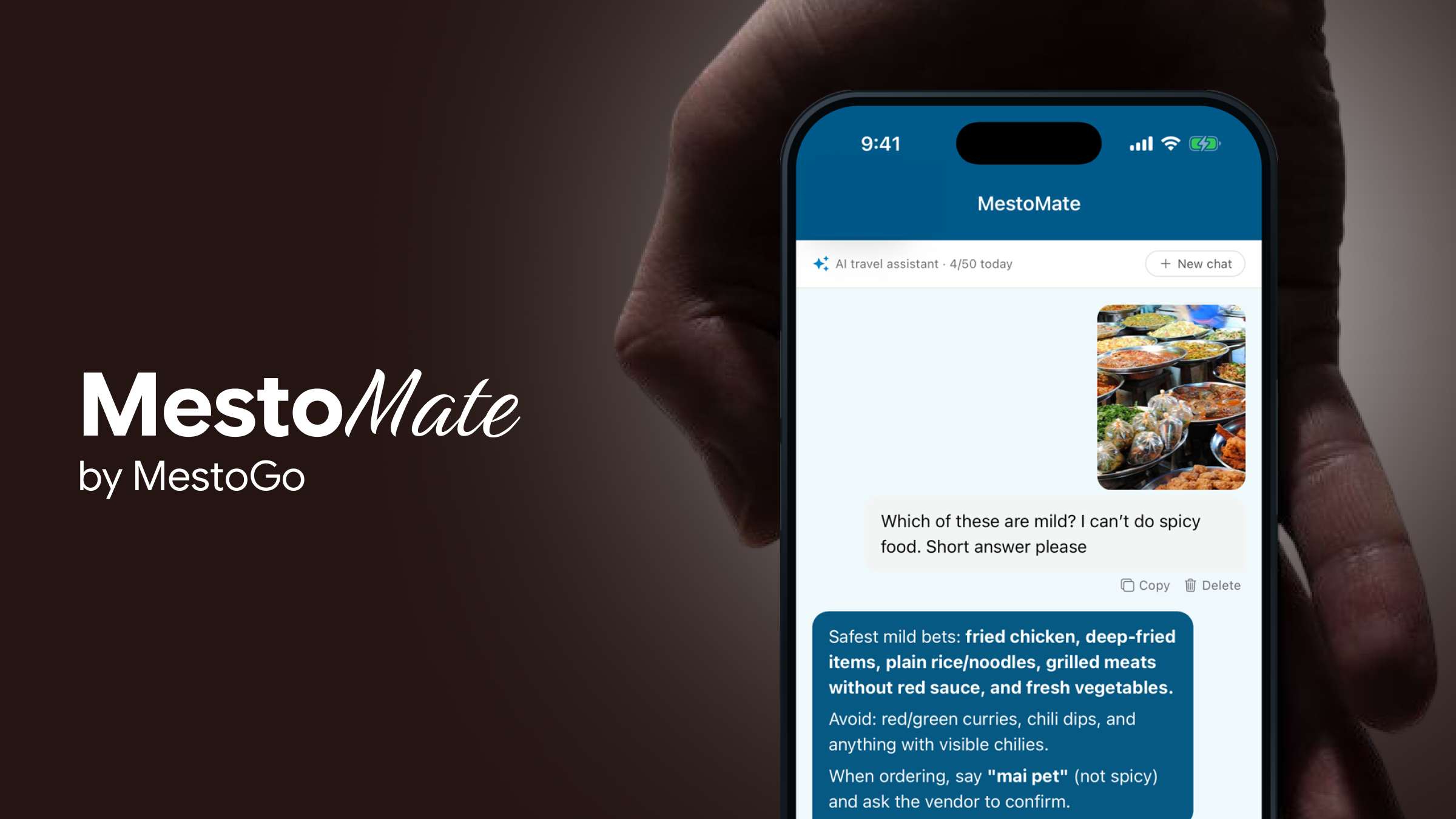
Snap a Photo, Get a Local Answer: Meet MestoMate, MestoGo's Smart Travel Assistant
MestoMate is the Smart Travel Assistant built into MestoGo. Ask about transport, food, visas or etiquette in Thailand, Malaysia and Nepal, or attach a photo of a menu, sign or landmark and get a clear answer in seconds.

The Bangkok MRT Rules Tourists Keep Breaking (Without Knowing)
Master Bangkok's MRT with our etiquette guide. Learn queueing rules, seat etiquette, noise policies, and rush hour tips for a smooth, respectful ride.

Suvarnabhumi Airport Hacks: From 'Golden Land' to City in 45 Minutes
Navigate Suvarnabhumi Airport (BKK) in Bangkok with ease. This comprehensive guide covers arrivals, departures, transportation, facilities, and essential tips for a smooth journey.

The Thailand Weather Pattern Most Guides Get Wrong (A Month-by-Month Fix)
Plan your Thailand trip around the right weather, crowds, and prices. See the best months for beaches, trekking, diving, and festivals — plus the Andaman vs Gulf coast monsoon inversion.